


OCR Text Recognition
Extract editable text from printed documents, screenshots, and scanned files with high accuracy.
 e.Soft Technologies - Software Development Company


AI-Powered Document Scanner
Turn any document, invoice, receipt, or report into editable text, Excel spreadsheets, or professional PDFs – in seconds. Powered by advanced OCR and AI summarization, built for professionals who can’t afford to waste time.
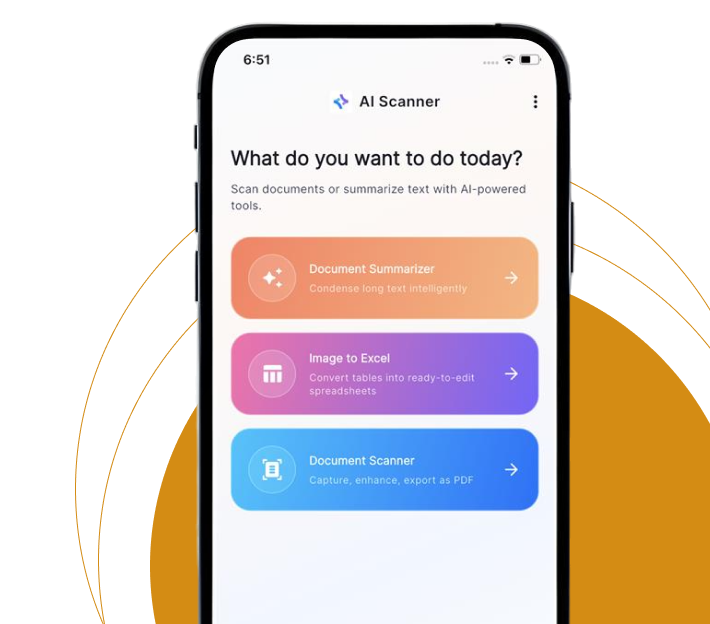
AI Scanner combines five powerful tools in one app – no subscriptions,
no complicated setup.
Extract editable text from printed documents, screenshots, and scanned files with high accuracy.

Get concise summaries of long reports, contracts, and research papers in seconds.

Extract tables from invoices and receipts and convert them into editable Excel spreadsheets automatically.

Convert scanned images into professional, shareable PDF documents with one tap.

Automatically identify and pull key business data, tables, and figures from any document.

Export and share processed files with teams or clients across any platform, securely.
No learning curve. Just open the app and get started.

Use your phone camera to capture any document, receipt, invoice, or form – or upload an existing image or PDF directly from your device.

Our OCR engine scans the document, identifies text, tables, and key data fields, and processes everything without any manual input from you.

Check the extracted content, make quick edits if needed, and choose your output format – text, Excel, PDF, or AI summary.

Download your output, share with teammates or clients, or store it securely within the app for future access.
Whether you’re processing 5 documents a day or 500, AI Scanner
fits into your workflow.

Digitize invoices, receipts, and financial reports into Excel in seconds.

Summarize contracts and reports without reading every page.

Extract notes and data from textbooks, papers, and printed materials.

Digitize onboarding forms, ID documents, and employee records instantly.

Process case files, agreements, and legal documents with full accuracy.

Reduce manual data entry and go fully paperless without expensive software.
“AI Scanner cut our invoice processing time by over 60%. The image-to-Excel conversion is surprisingly accurate — even with handwritten numbers.”
“I use it daily for summarizing research papers. What used to take 30 minutes now takes under a minute. The AI summary quality is excellent.”
